
Skip to the content

BeSquares SupportBeSquares Support

  • Docs
  • Tickets
  • Create Ticket
  • Register
  • Login
  • Docs
  • Tickets
  • Create Ticket
  • Register
  • Login
  • Docs
  • Tickets
  • Create Ticket
  • Register
  • Login
  • Getting Started

    • Theme Requirements

    • Theme Installation

    • Theme Setup Wizard

      • Theme Plugins
      • Theme Importer
  • Theme Settings

    • Site Identity

    • General

    • Body Background

    • Header

    • Intro Header

    • Footer

    • Colors

    • Single Post

    • Typography

    • Blog

    • Treatments

  • Editor & Pages

    • Velura Blocks

    • Page Templates

  • Widgets

    • Available Sidebars

    • Theme Widgets

  • Advanced

    • NPM Commands

    • Helper CSS Class

  1. Docs
  2. Velura Theme
  3. Editor & Pages
  4. Page Templates

Page Templates

Estimated reading time:
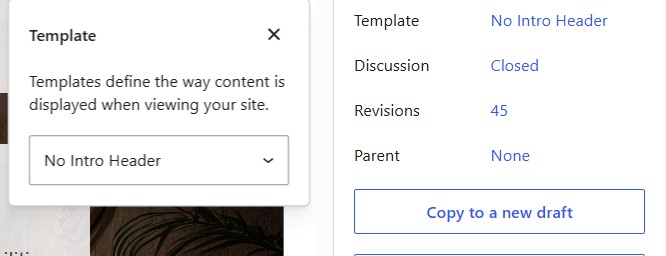
Velura comes with the following 2 page templates:


1. No Intro Header

Normally, each page includes an intro header to display the featured image and page title. You can disable this by choosing this template.


2. No Wrapper

The default template wraps the page inside a boxed container. Use this template if you need to build your own custom containers manually.

Last update: October 3, 2026
Views: 52
How do you feel about this article ?
0 0 0
In this page:

    © 2026 BeSquares Support

    Powered by WordPress

    To the top ↑ Up ↑